This document about my resource transfer teaches you to apply for VPS from scratch to build aria2+rclone to realize offline download and automatic upload to the network disk.

I haven’t been able to post for a long time. The last post I posted was in February or January this year during the New Year’s Day 2020 and 2019. Don’t talk nonsense, let’s click
This tutorial will only use this Google Cloud https://cloud.google.com/ to start the registration, you need to use a credit card or debit card when registering, you can also use a virtual bank card
https://www.oracle.com/cn/cloud/free/ or use this registration, this registration is permanent after successful, I will not demonstrate the specific operation of this machine here
The third free machine is https://www.euserv.com/en/ Register and check it online. This is considered free for one month. After registration, it will take a few days to get it. The capacity is not very large. But you can build your own nodes to overturn the wall for yourself
There is also the fourth microsoft azure, which is owned by Microsoft. Please search on the Internet for details.
As long as you do this to help those who have been downloading the magnet link, you can download offline with this, and after finishing it, there are 3 steps.
Copy, paste, download, that's it! ! So those who are free can learn
If I'm in a good mood, I will publish another article, build my own node, and I need to build my own over the wall! !
If you want to directly download onedrive files in batches, I will do it next time if I am in a mood (here refers to a folder with many files)
Teaching one has already said how to apply for VPS
The second teaching is to teach you to download the OneDrive link. For large-scale resources, some brothers’ home network broadband is not very good, and it is between 100-300 megabits of broadband.
I will teach you to install the desktop on vps and then use the remote link that comes with the window. After connecting, you can use it to register some website accounts that need to be made internationally. Here I usually use it to download onedrive single file resources (vps The speed is between 800-1000mbps), in fact, vps has many uses for mining, building websites, building your own network disk, building your own gayhub project, telegraph robots, and more
let's start!
It’s time to perform a real escalation of the wall, install a desktop for the server, remotely connect to the desktop to control the server, and unlock the new posture
sudo -i get super user privileges
apt-get update Update and upgrade the software source
apt-get install lxde install desktop
apt-get install xrdp install windows remote desktop tool
Remember to set the password after installation
passwd set password (remember to set under super user authority)
Enter the password you want
Repeat the new password you want to change
Finished~
Copy the external ip of your cloud server after completion
Open the remote desktop link and paste your external ip address
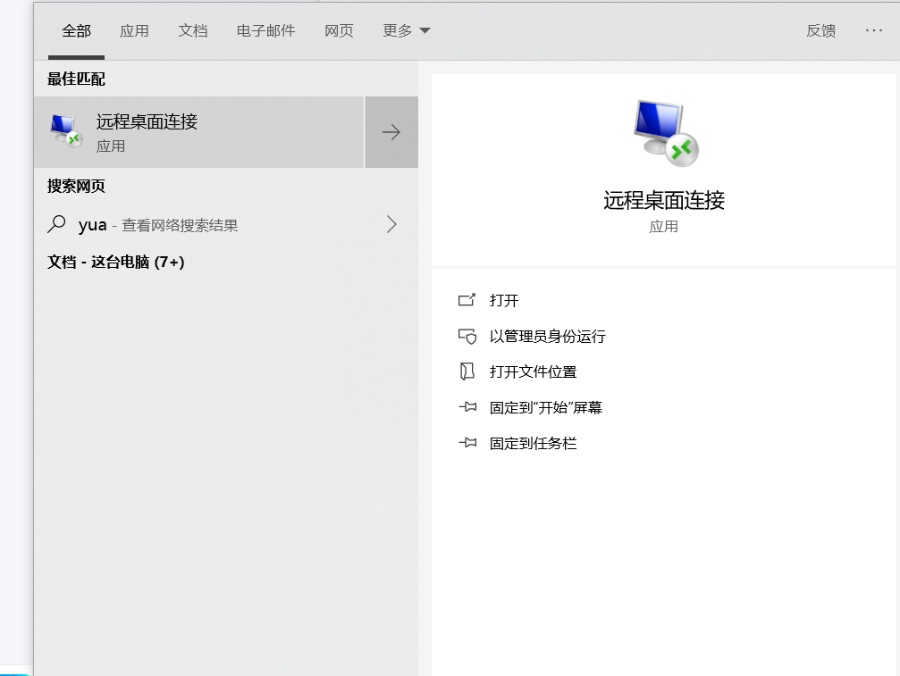
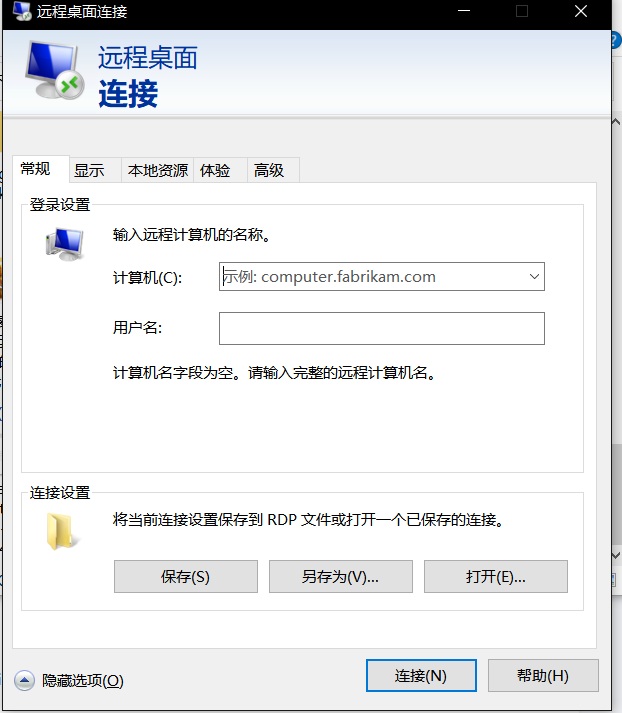
User name is written as root


Comments
Post a Comment