The previous post taught how to use an idle computer to make external online
earning. If you have more than 8 to 10 mobile phones, you can mine. Is there
only one cell phone frame? ?
So Google: Use idle mobile phones. The first link:
https://www.zhihu.com/question/21766171/answer/598785863
Install the mobile phone in the car as a gps, use the mobile phone as a TV
remote control, use the mobile phone as a TV box, install the linux system on
the mobile phone as a website backend server (or do a crawler project),
install the mobile phone as an alarm clock, and change the mobile phone to
monitor at home I also saw an Ethereum cold wallet made. . . It's too awesome,
so many things can be done
Among them, the mobile phone installed linux system to act as the website
backend server is what I need most, but I don’t have the skills
ps: Actually I can learn it, but I’m lazy and don’t want to learn
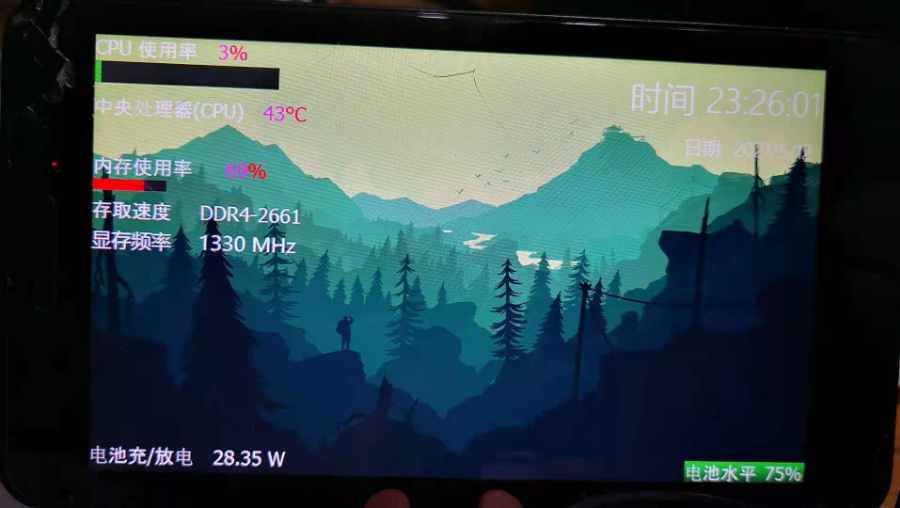
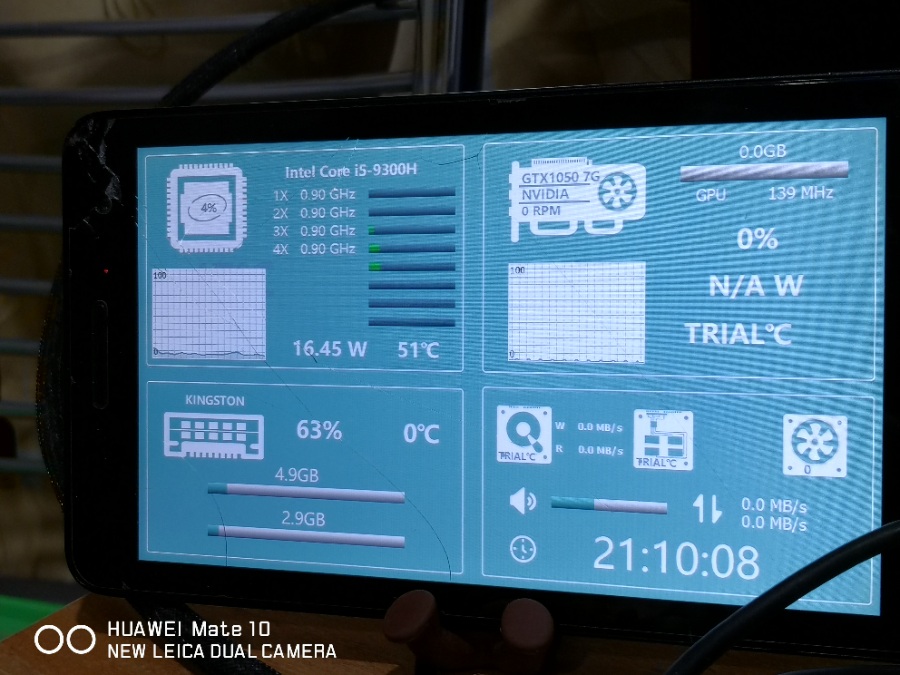
So let's get started~ the effect picture: Huawei huawei mediapad t1 7.0
The mobile phone remembers that the data cable is connected to this computer,
and the mobile phone is charged during the operation
Preparation tools:
Mobile phone installation remote panel:
https://play.google.com/store/apps/details?id=com.odospace.remotepanel&hl=en&gl=US
Then install the remote panel on the computer
This is the introduction URL of the application:
https://forums.aida64.com/topic/2776-display-pc-sensor-values-on-android-device-connected-via-usb-odospace-remote-panel/
Download of remote panel: https://apps.odospace.com/RemotePanelSetup.exe
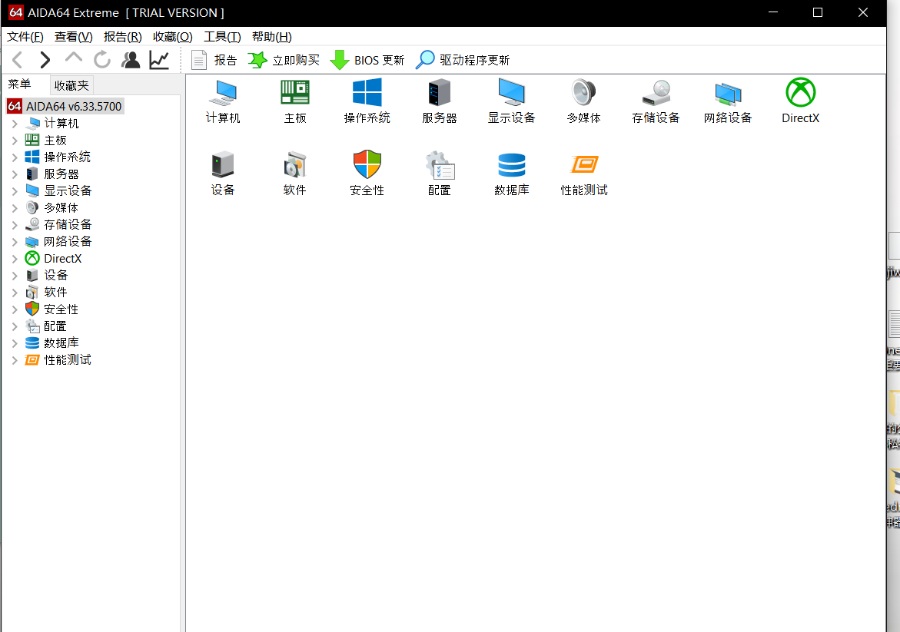
Then install AIDA64 on the computer
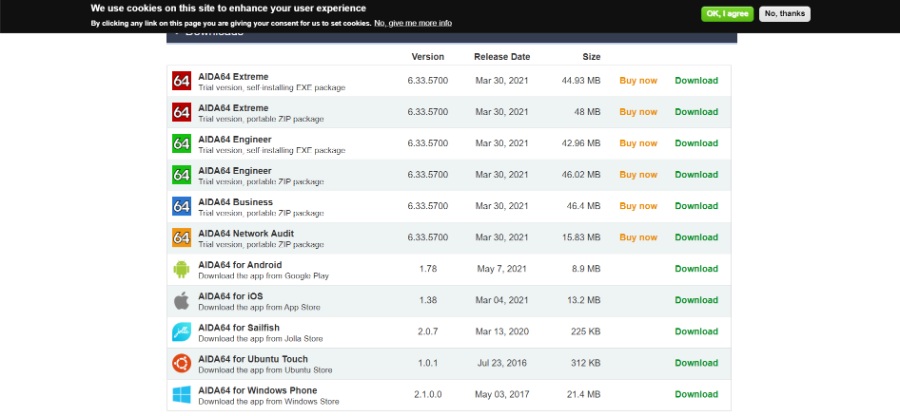
Official website link: https://www.aida64.com/downloads
You can choose to download the first 6 free use for one month (I didn’t read
the details)
Choose to download the first one
Finally, the computer downloads ADB to operate the link phone
Link: https://www.xda-developers.com/install-adb-windows-macos-linux/
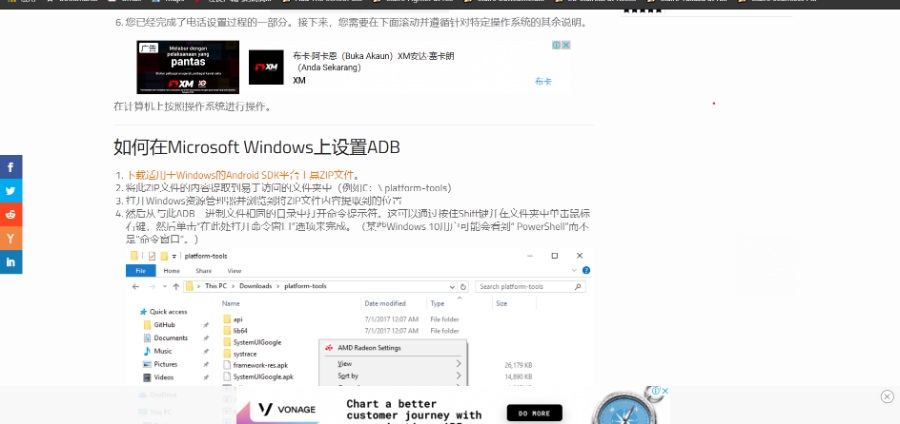
Option 1. Download the ZIP file of Android SDK platform tools for Windows.
Unzip the contents of this ZIP file to a place that is easier to see (for
example, C:\ platform-tools)
Open Windows Explorer and browse to the location where you extracted the
contents of the ZIP file
Then open a command prompt from the same directory as this ADB binary
file. This can be done by holding down the Shift key and clicking the
right mouse button in the folder, and then clicking the "Open command
window here" option. (Some Windows 10 users may see "PowerShell" instead
of "Command Window.")
At the beginning of the third paragraph, I’m afraid you won’t understand,
so I’ll show pictures to teach
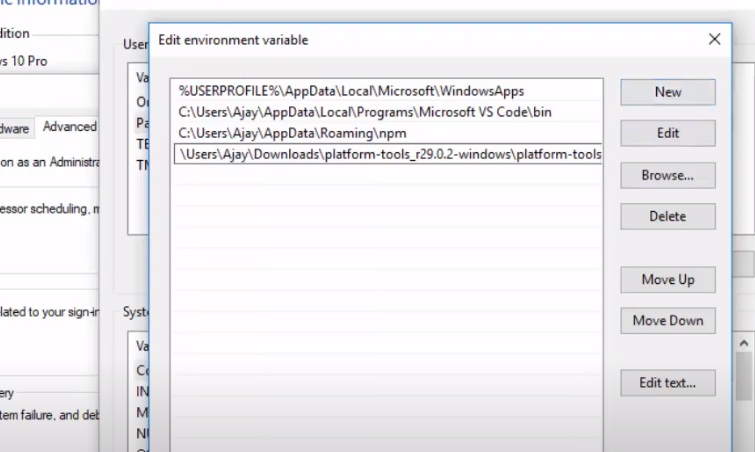
Click the box above to copy the address
Point the mouse to the right button of this computer/Properties/Advanced
system equipment/Environmental variables
Select path/edit
At this time, if you use your old phone to open the developer mode, you
can understand it. If you can’t open it, find a way to google
After the developer mode is turned on /Developer options/Find usb
debugging to open it/Do not turn off the screen of the phone at this
time
Go back to the computer and continue to operate window+r, enter cmd and
press enter, first enter adb and press enter. If it appears, the
following figure indicates that it is basically successful
When this paragraph appears, you should be optimistic about your phone.
Open the remote panel on the phone and press on the black page for a
long time. Both options will be ticked.
Then go back to the computer and enter in adb devices. It will appear to
ask for confirmation. If you pass it permanently, you don’t need to
confirm it.
The mobile adb setting is complete! ! The computer installation of
aila64 is complete! The mobile remotepanel is complete! The computer
remotepanel is complete!
Let's do it! !
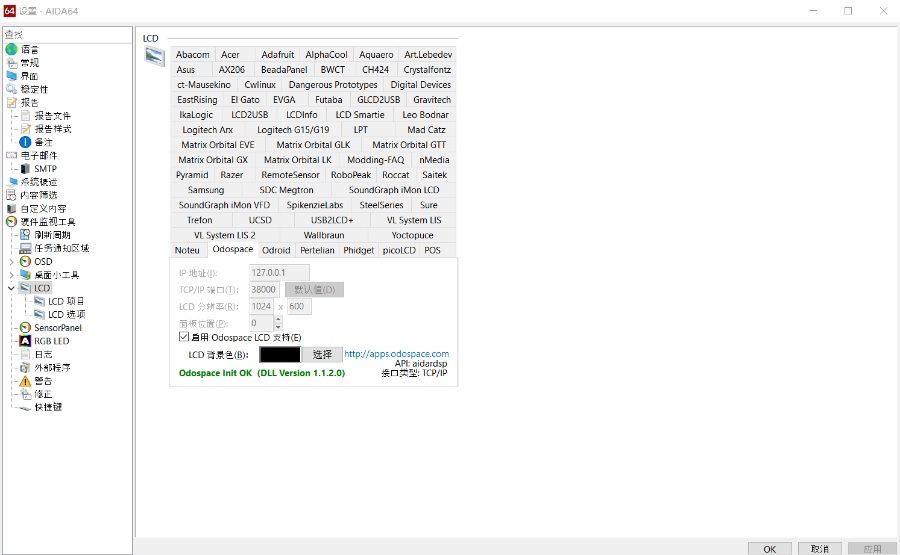
Open aida64 file/settings
Find the lpc and choose odospace. How much is the split screen rate of
your mobile phone? Go to set it on your mobile phone. Then click to
start odospace. The remotepanel on your mobile phone will start to
appear on the screen. Tick the two options and he is returning,
otherwise you will wait for a while and tell me why it is not displayed)
lcd project/new/choose how you display the data
There are many templates of data that can be displayed, but there are
not a few that I like. It’s pretty beautiful to see what others make.
You can study the rest slowly by yourself, I won’t teach it here, I
will drop the link of individual video teaching below
Teaching: https://youtu.be/p3-43WShc-U
The big guy in the video will be envious of PS. . :
Https://www.bilibili.com/video/av582988140/




Comments
Post a Comment